
Last Updated: January 10, 2026 | By TechMilkyWay Team | Reading Time: 5 minutes

Quick Answer: What is YouTube Create?
YouTube Create official free video editing app for mobile devices. It offers professional editing tools, auto-captions, royalty-free music, and direct publishing to YouTube—all without watermarks, ads, or subscription fees.
Key Features:
- ✅ 100% Free (No hidden costs)
- ✅ No watermarks on videos
- ✅ Auto-caption generation
- ✅ Direct YouTube publishing
- ✅ Royalty-free music library
Availability: Android and iOS (iPhone XR+, iOS 17+)
Why YouTube Create is Changing the Game for Video Creators
Tired of paying for video editing apps? YouTube just dropped a bombshell that CapCut users need to know about.
YouTube Create is YouTube’s answer to popular editing apps like CapCut and InShot. It’s completely free, packed with professional features, and designed specifically for content creators who want to edit and publish quickly.
What is YouTube Create Used For?
YouTube Create is designed for:
- Editing YouTube Shorts (vertical videos under 60 seconds)
- Creating long-form YouTube videos (standard horizontal content)
- Adding professional touches like transitions, effects, and music
- Making videos accessible with auto-generated captions
- Publishing content quickly with one-tap upload to YouTube
YouTube Create Features: What You Get for Free
Core Video Editing Tools
Basic Editing Functions:
- Precision video trimming and cutting
- Multi-clip timeline editing
- Choose from 40+ transitions
- Speed controls (slow motion and time-lapse)
- Video rotation and cropping
Professional Effects:
- Smooth transitions between clips
- Filters and color adjustments
- Text overlays and titles
- Stickers and creative elements
Audio Enhancement:
- AI-powered background noise removal
- Volume adjustment and audio mixing
- Access to thousands of royalty-free music tracks
- Sound effects library
Accessibility Features:
- Automatic caption generation
- Multi-language subtitle support
- Voice-over recording
The YouTube Integration Advantage
What sets YouTube Create apart from competitors:
- One-tap publishing directly to your YouTube channel
- No watermarks on finished videos
- Cloud project backup (syncs with your YouTube account)
- Optimized exports for both Shorts and standard videos
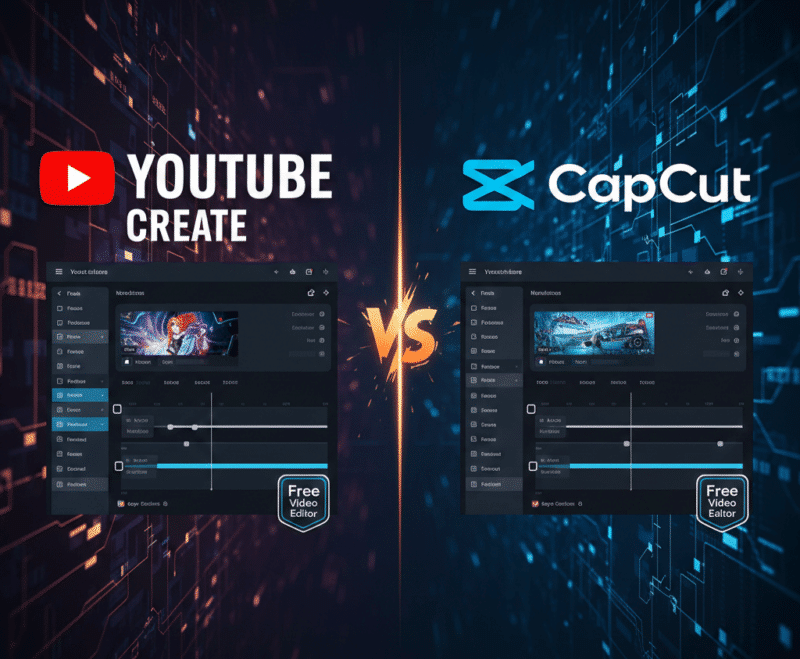
YouTube Create vs CapCut: Which is Better?
Comparison Table
| Feature | YouTube Create | CapCut |
|---|---|---|
| Price | 100% Free | Free (with pro option) |
| Watermarks | None | None |
| Ads | None | Occasional ads |
| YouTube Integration | Direct publishing | Export required |
| Music Library | Royalty-free tracks | Licensed music |
| Platform Support | YouTube-focused | Multi-platform |
| Advanced Features | Moderate | Extensive |
When to Choose YouTube Create
Best for YouTube creators who:
- Primarily post content on YouTube
- Want the fastest editing-to-publishing workflow
- Need guaranteed royalty-free music
- Prefer an ad-free editing experience
- Value seamless platform integration
When to Choose CapCut
Better choice if you:
- Post across multiple platforms (TikTok, Instagram, Facebook)
- Need advanced editing features like keyframe animation
- Want more creative effects and filters
- Edit content for clients or brands on various platforms
How to Download and Use YouTube Create
System Requirements
For Android Users:
- Android 8.0 or higher
- Download from Google Play Store
- Minimum 4GB RAM required
For iOS Users:
- iPhone XR or newer models
- iOS 17 or later required
- Download from Apple App Store
- Launched December 15, 2025
Step-by-Step Getting Started Guide
Step 1: Download the App Search for “YouTube Create” in your device’s app store and install it for free.
Step 2: Sign In Log in using your existing YouTube/Google account to enable direct publishing.
Step 3: Create New Project Tap “Create New” and import video clips from your camera roll or record directly in the app.
Step 4: Edit Your Video Use the timeline editor to trim clips, add transitions, insert music, and apply effects.
Step 5: Add Captions Enable auto-captions for better accessibility and SEO performance.
Step 6: Publish or Export Either publish directly to YouTube with one tap or export to your device for use elsewhere.
YouTube Create Pros and Cons (2026 Analysis)
Advantages ✅
What makes YouTube Create worth downloading:
- Completely free with zero hidden costs or subscriptions
- No watermarks degrading your video quality
- Clean, intuitive interface perfect for beginners
- Direct YouTube integration saves 5-10 minutes per upload
- Royalty-free music prevents copyright strikes
- Regular updates and bug fixes from YouTube’s development team
- Auto-captions boost video SEO and accessibility
Limitations ⚠️
What could be improved:
- Occasional app crashes reported by some users (being actively patched)
- Feature set less extensive than professional desktop software like Adobe Premiere
- Currently mobile-only (no desktop version)
- Optimized primarily for YouTube (less ideal for multi-platform creators)
- Export options more limited than some competitors
Is YouTube Create Worth It in 2026?
Short answer: Yes, absolutely.
For YouTube creators at any skill level, YouTube Create offers tremendous value at zero cost. The seamless integration with YouTube alone makes it worth downloading as a secondary editing tool, even if you primarily use other software.
Who benefits most:
- Beginners: Easy learning curve without overwhelming features
- YouTube Shorts creators: Optimized specifically for vertical video
- Mobile-first creators: Full editing capability on-the-go
- Budget-conscious creators: Professional results without software costs
- Time-sensitive creators: Fastest path from recording to publishing
Expert Tips for Using YouTube Create
💡 Tip 1: Boost SEO with Auto-Captions Always enable auto-generated captions. YouTube’s algorithm favors accessible content, and captions can increase watch time by 12-15%.
💡 Tip 2: Leverage the Royalty-Free Music Library Using YouTube Create’s built-in music eliminates copyright concerns and prevents demonetization issues.
💡 Tip 3: Edit Shorts Directly in the App For maximum efficiency, shoot and edit YouTube Shorts entirely within YouTube Create for optimized formatting.
💡 Tip 4: Use Cloud Backup Enable project saving to avoid losing work if the app crashes during editing.
💡 Tip 5: Export at Highest Quality Always choose the highest available export quality (typically 1080p) for best results.
Frequently Asked Questions About YouTube Create
Is YouTube Create completely free?
Yes. YouTube Create is 100% free with no subscription fees, no watermarks, and no advertisements within the app.
Can I use YouTube Create videos on platforms other than YouTube?
Yes. You can export edited videos to your device and upload them to any platform including Instagram, TikTok, Facebook, or Twitter.
Does YouTube Create work on tablets or iPads?
Currently, YouTube Create requires iPhone XR or newer with iOS 17+. iPad compatibility may be added in future updates.
How does YouTube Create compare to professional editing software?
YouTube Create offers essential editing features suitable for most creators but lacks advanced capabilities like multi-cam editing, advanced color grading, or motion graphics found in Adobe Premiere Pro or Final Cut Pro.
Will using YouTube Create help my videos rank better on YouTube?
Using the app itself doesn’t directly impact ranking, but features like auto-captions improve accessibility, which can boost watch time and engagement—both important ranking factors.
Can I edit 4K videos in YouTube Create?
YouTube Create supports up to 1080p resolution. For 4K editing, you’ll need desktop software.
Does YouTube Create remove TikTok or Instagram watermarks?
No. YouTube Create cannot remove watermarks from videos created in other apps. Always shoot original footage for best results.
How much storage space does YouTube Create require?
The app itself requires approximately 150-200MB, but video projects can consume significant additional storage depending on length and quality. Keep at least 100-500MB additional space for smooth updates and cache management.
The Bottom Line: Should You Download YouTube Create?
YouTube Create represents a significant value proposition for content creators. The combination of professional editing tools, YouTube integration, and zero cost makes it an essential app for anyone serious about YouTube content creation.
Our Recommendation: Download it. Even if you’re happy with your current editing workflow, having YouTube Create installed provides a reliable backup option and the fastest possible publishing pipeline for time-sensitive content.
Related Articles You Might Find Helpfull
- Top 10 Best Neckband Earphones in 2026: Complete Buying Guide.
- Top 10 Best Free AI Apps for Productivity & Everyday Use in 2026
- Best Budget Gaming Setup 2026: Complete Guide to Affordable Gaming Accessories
Article Summary: YouTube Create is YouTube’s free video editing app offering professional tools, auto-captions, royalty-free music, and one-tap publishing. It competes directly with CapCut and is ideal for YouTube creators seeking efficient m
Author: TechMilkyWay Editorial Team
Published: January 10, 2026
Last Modified: January 10, 2026
🌌 TechMilkyWay
Navigating the Universe of Technology – Your trusted source for tech reviews, practical tech tutorials, and cutting-edge digital innovation insights.
Quick Links: Home | About Us | Contact Us
Contact: mdfariv33@gmail.com
© 2026 TechMilkyWay.com – All Rights Reserved.
