
Best Budget Gaming Setup 2026: Complete Guide to Affordable Gaming Accessories
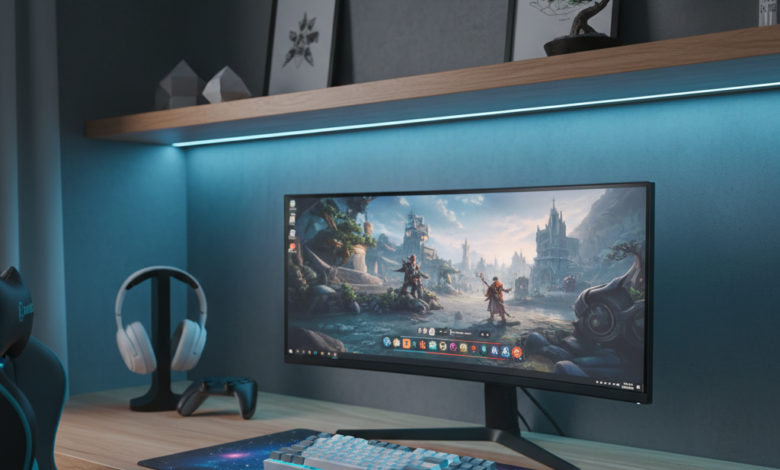
Best Budget Gaming Setup 2026: Complete Guide Under $300
Setting up your first gaming station or upgrading your current setup doesn’t have to drain your wallet. After extensive research and testing, we’ve compiled the ultimate guide to building a competitive gaming setup without breaking the bank. Whether you’re a casual gamer or aspiring esports player, these budget-friendly accessories deliver exceptional performance at a fraction of premium prices.
Why Budget Gaming Setups Are Better Than Ever in 2026
The gaming peripheral market has evolved dramatically over the past few years. Major brands now face fierce competition from emerging manufacturers who offer similar technology at lower price points. This competition benefits gamers like you, making high-performance accessories more accessible than ever before.

Modern budget gaming gear now includes features that were once exclusive to premium products, including mechanical switches, high-DPI sensors, 240Hz refresh rates becoming more affordable, and customizable RGB lighting. The gap between budget and premium has narrowed significantly, meaning you can build a competitive setup for under $300 in 2026.
Best Budget Gaming Mice: Precision Without the Premium Price
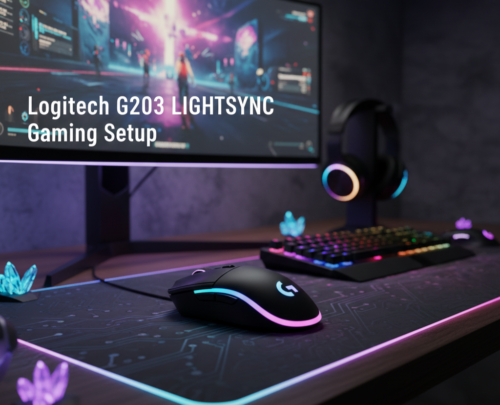
1. Logitech G203 LIGHTSYNC – Best Overall Budget Gaming Mouse
Price Range: $18-28
The Logitech G203 LIGHTSYNC continues to stand as our top recommendation for budget-conscious gamers who refuse to compromise on performance. This mouse features Logitech’s reliable 8,000 DPI sensor, which provides exceptional tracking accuracy across various gaming genres.
Key Features:
- 8,000 DPI sensor with zero smoothing or acceleration
- Six programmable buttons via Logitech G HUB software
- Customizable RGB lighting with multiple effects
- Lightweight design at just 85 grams
- Durable mechanical button tensioning system rated for 10 million clicks
Why We Recommend It: The G203 delivers performance comparable to mice costing twice as much. Professional gamers have used this mouse in competitive tournaments, proving that budget doesn’t mean compromise. The shape suits most hand sizes and grip styles, making it universally accessible.
BUY NOW ON AMAZON – Check Latest Price
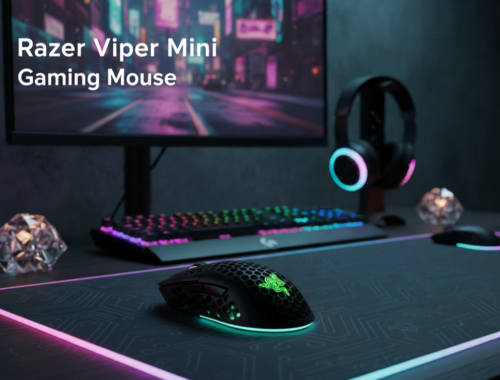
2. Razer Viper Mini – Best for Small to Medium Hands
Price Range: $22-33
The Razer Viper Mini packs premium features into an affordable, compact package. This ambidextrous mouse weighs only 61 grams, making it one of the lightest gaming mice available at any price point.
Key Features:
- 8,500 DPI optical sensor
- Ultra-lightweight 61-gram design
- Razer Speedflex cable for minimal drag
- True ambidextrous shape with symmetrical buttons
- Razer Chroma RGB lighting
Why We Recommend It: If you have smaller hands or prefer fingertip grip, the Viper Mini offers exceptional control and comfort. The lightweight design reduces hand fatigue during extended gaming sessions. Many professional gamers praise this mouse for its precise tracking in fast-paced FPS games.
BUY NOW ON AMAZON – Check Latest Price
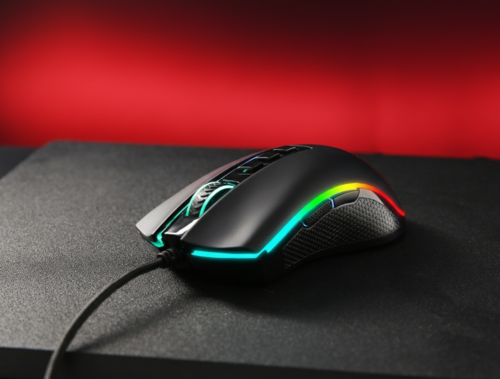
3. Redragon M711 Cobra – Best Value RGB Gaming Mouse
Price Range: $15-25
For gamers seeking maximum features at minimum cost, the Redragon M711 Cobra delivers impressive value. This mouse includes everything you need to start gaming competitively without the premium brand markup.
Key Features:
- 10,000 DPI optical sensor with adjustable settings
- Seven programmable buttons
- RGB backlight with multiple color modes
- Ergonomic right-handed design
- Durable construction with textured grip
Why We Recommend It: The M711 Cobra represents the sweet spot of affordability and functionality. While it may not have the refined build quality of premium mice, it performs admirably in gaming scenarios and won’t leave you wanting for features.
BUY NOW ON AMAZON – Check Latest Price
Best Budget Gaming Keyboards: Mechanical Quality at Affordable
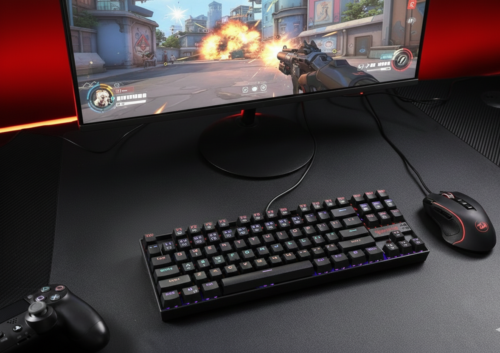
1. Redragon K552 KUMARA – Best Budget Mechanical Keyboard
Price Range: $33-43
The Redragon K552 KUMARA has earned legendary status in the budget gaming community. This tenkeyless mechanical keyboard delivers genuine mechanical switches at a price that seems too good to be true.
Key Features:
- Genuine mechanical switches (Blue, Red, or Brown options)
- Compact tenkeyless design saves desk space
- Aircraft-grade aluminum construction
- Individual key RGB backlighting
- Full anti-ghosting and N-key rollover
- Splash-resistant design
Why We Recommend It: The K552 proves that mechanical keyboards don’t require premium pricing. The build quality rivals keyboards costing over $100, and the mechanical switches provide satisfying tactile feedback. The tenkeyless layout gives you more mouse room, crucial for low-sensitivity gaming.
BUY NOW ON AMAZON – Check Latest Price
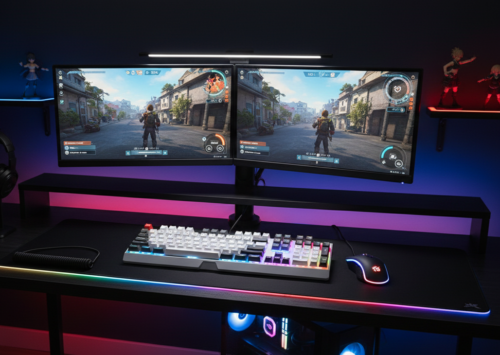
2. Royal Kludge RK61 – Best Wireless Budget Keyboard
Price Range: $38-53
The Royal Kludge RK61 breaks the myth that wireless mechanical keyboards must be expensive. This 60% layout keyboard offers both wired and wireless connectivity without compromising build quality or performance.
Key Features:
- Dual-mode connectivity (Bluetooth and USB-C)
- Hot-swappable switch design (upgrade switches without soldering)
- 1,850mAh rechargeable battery
- Available in multiple switch types
- RGB backlighting with various effects
- Compact 60% layout
Why We Recommend It: The hot-swappable switch design means you can customize your typing experience by changing switches without technical expertise. The wireless capability keeps your desk clean while eliminating cable drag. Battery life easily lasts several days of heavy gaming.
BUY NOW ON AMAZON – Check Latest Price
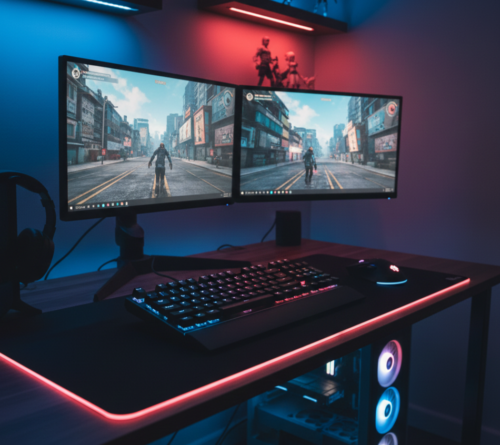
3. Tecware Phantom – Best Minimalist Design
Price Range: $45-55
The Tecware Phantom appeals to gamers who appreciate clean aesthetics alongside solid performance. This keyboard strips away unnecessary features, focusing on delivering quality mechanical switches in a refined package.
Key Features:
- Outemu mechanical switches (multiple options)
- Minimalist design without branding
- RGB backlighting with side glow effect
- Full-size and TKL variants available
- Detachable USB-C cable
- Aluminum top plate
Why We Recommend It: The Phantom’s understated design suits both gaming and professional environments. The Outemu switches, while less famous than Cherry MX, perform excellently for gaming and typing. Build quality exceeds expectations for this price range.
BUY NOW ON AMAZON – Check Latest Price
Best Budget Gaming Headsets: Immersive Audio on a Budget
1. HyperX Cloud Stinger – Best Overall Budget Gaming Headset
Price Range: $30-50
The HyperX Cloud Stinger represents HyperX’s commitment to bringing quality audio to budget-conscious gamers. This headset has become a staple recommendation for good reason.
Key Features:
- 50mm directional drivers for clear audio
- Lightweight design at 275 grams
- Memory foam ear cushions for comfort
- Swivel-to-mute noise-cancellation microphone
- 90-degree rotating ear cups
- Multi-platform compatibility
Why We Recommend It: Comfort during extended gaming sessions matters as much as audio quality, and the Cloud Stinger excels at both. The lightweight design prevents neck strain, while the memory foam cushions remain comfortable after hours of use. Audio quality rivals headsets costing significantly more.
BUY NOW ON AMAZON – Check Latest Price
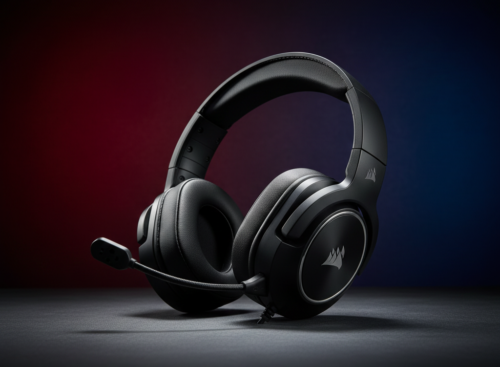
2. Corsair HS50 – Best Build Quality Under $50
Price Range: $35-50
The Corsair HS50 brings the build quality and comfort Corsair is known for to an accessible price point. This headset feels premium despite its budget-friendly cost.
Key Features:
- Custom-tuned 50mm neodymium drivers
- Plush memory foam ear pads with adjustable ear cups
- Discord-certified noise-cancelling microphone
- Durable steel construction
- On-ear volume and mute controls
- Compatible with PC, consoles, and mobile devices
Why We Recommend It: The HS50’s steel frame ensures longevity, addressing the common complaint about budget headsets breaking easily. The Discord certification means your teammates will hear you clearly. Comfort rivals headsets in the $100+ range.
BUY NOW ON AMAZON – Check Latest Price
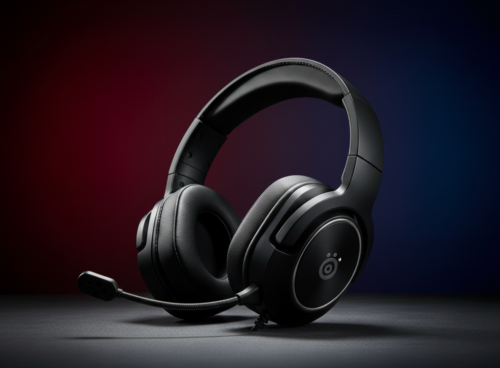
3. SteelSeries Arctis 1 – Best Versatile Budget Headset
Price Range: $40-60
The SteelSeries Arctis 1 brings the acclaimed Arctis comfort design to budget gamers. This headset works seamlessly across all gaming platforms, making it ideal if you game on multiple devices.
Key Features:
- Signature Arctis soundscape
- Detachable ClearCast microphone
- Steel-reinforced headband with ski goggle suspension
- Compatible with PC, PlayStation, Xbox, Nintendo Switch, and mobile
- Lightweight and comfortable for extended sessions
- 3.5mm connection for universal compatibility
Why We Recommend It: The ski goggle suspension system distributes weight evenly, eliminating pressure points. The detachable microphone means you can use this headset outside gaming without looking conspicuous. Audio quality impresses with clear highs and solid bass.
BUY NOW ON AMAZON – Check Latest Price
Best Budget Gaming Monitors: High Refresh Rates Without High Prices
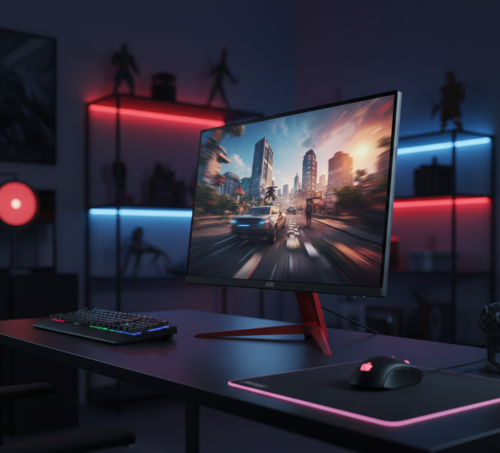
1. AOC 24G2 – Best Overall Budget Gaming Monitor
Price Range: $100-170
The AOC 24G2 continues to revolutionize budget gaming monitors in 2026 by offering IPS panel quality with high refresh rates at an unprecedented price point. This monitor regularly appears on professional gamers’ setup lists.
Key Features:
- 24-inch Full HD (1920×1080) IPS panel
- 144Hz refresh rate for smooth gameplay
- 1ms response time (MPRT)
- AMD FreeSync Premium support (G-Sync compatible)
- Excellent color accuracy (99% sRGB coverage)
- Ergonomic stand with height adjustment
- Low Blue Light and Flicker-Free technology
Why We Recommend It: IPS panels traditionally cost more than TN panels, but the 24G2 proves you can have both quality and affordability. The color accuracy matters for content creation beyond gaming. The 144Hz refresh rate provides competitive advantage in fast-paced games while making desktop use noticeably smoother.
BUY NOW ON AMAZON – Check Latest Price
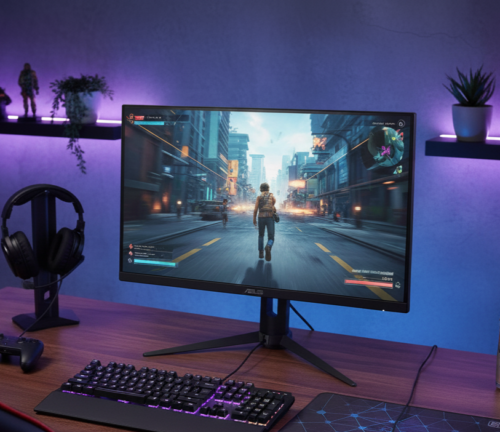
2. ASUS VP249QGR – Best Alternative IPS Gaming Monitor
Price Range: $150-180
The ASUS VP249QGR competes directly with the AOC 24G2, offering similar specifications with ASUS’s reputation for quality and support.
Key Features:
- 23.8-inch Full HD IPS display
- 144Hz refresh rate with Adaptive-Sync
- 1ms MPRT response time
- Extensive connectivity including HDMI, DisplayPort, and VGA
- ASUS Eye Care technology
- Frameless design for multi-monitor setups
- VESA mount compatible
Why We Recommend It: ASUS’s build quality and customer support provide peace of mind. The frameless design looks modern and works beautifully in dual-monitor configurations. Color reproduction rivals monitors costing twice as much.
BUY NOW ON AMAZON – Check Latest Price
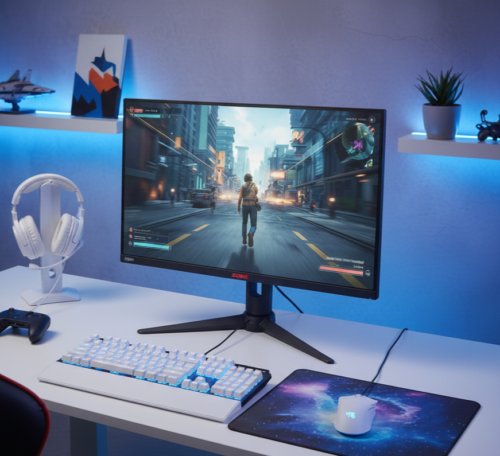
3. BenQ ZOWIE XL2411K – Best for Competitive Gaming
Price Range: $170-210
The BenQ ZOWIE XL2411K caters specifically to competitive gamers who prioritize performance over aesthetics. This monitor includes features designed by professional esports players.
Key Features:
- 24-inch Full HD TN panel optimized for speed
- 144Hz native refresh rate
- DyAc (Dynamic Accuracy) technology reduces motion blur
- Black eQualizer enhances visibility in dark scenes
- Height-adjustable stand with tilt and swivel
- Shielding hood available separately for focus
Why We Recommend It: While TN panels have inferior colors compared to IPS, they excel in response time. Competitive FPS players appreciate the XL2411K’s motion clarity and consistent performance. The Black eQualizer technology provides visibility advantages without being unfair.
BUY NOW ON AMAZON – Check Latest Price
Best Budget Gaming Mousepads: The Foundation of Precision
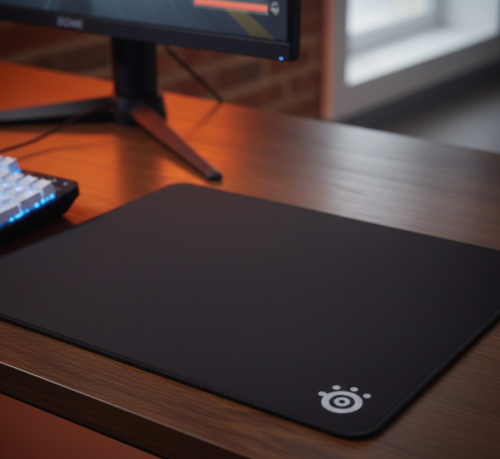
1. SteelSeries QcK – Best Classic Gaming Mousepad
Price Range: $10-15
The SteelSeries QcK represents the gold standard for cloth gaming mousepads. Countless professional gamers rely on this mousepad for its consistent performance.
Key Features:
- Micro-woven cloth surface for optimal tracking
- Non-slip rubber base
- Available in multiple sizes
- Optimized for both optical and laser sensors
- Machine washable
- Durable stitched edges prevent fraying
Why We Recommend It: Sometimes classics become classics for good reason. The QcK’s surface provides the perfect balance of control and speed. The consistent texture ensures your mouse sensor reads accurately every time. Available sizes range from compact to desk-mat dimensions.
BUY NOW ON AMAZON – Check Latest Price
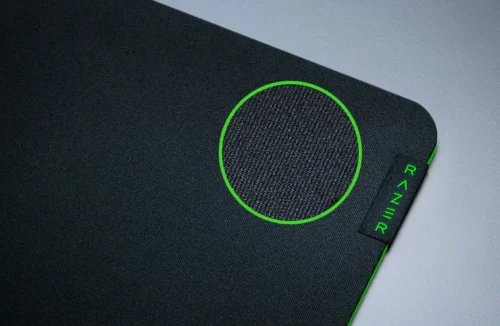
2. Razer Gigantus V2 – Best Large Surface Mousepad
Price Range: $15-25
The Razer Gigantus V2 offers extensive surface area for gamers who use low sensitivity settings requiring broad arm movements.
Key Features:
- Textured micro-weave cloth for controlled swipes
- Anti-slip rubber base
- Available in Medium, Large, and XXL sizes
- Optimized for all mouse sensors
- 3mm thickness for comfort
Why We Recommend It: Low-sensitivity gamers need room to move, and the Gigantus V2 provides exactly that. The textured surface offers slightly more control than the QcK, making it ideal for tactical shooters. The thickness provides comfortable wrist support.
BUY NOW ON AMAZON – Check Latest Price
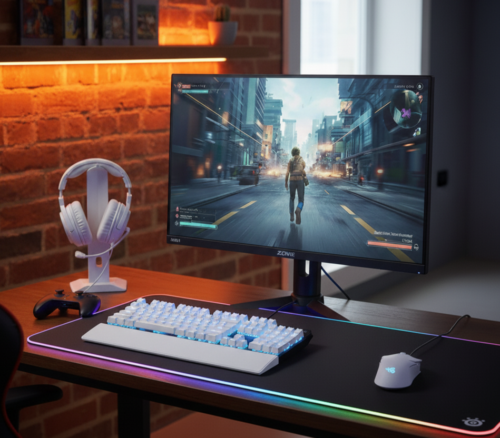
3. Extended RGB Desk Mat – Best for Full Desk Coverage
Price Range: $15-30
Extended RGB desk mats from various manufacturers provide complete desk coverage with aesthetic RGB lighting effects.
Key Features:
- Extra-large size (typically 31.5″ x 11.8″)
- RGB lighting around edges
- Smooth cloth surface
- Water-resistant coating
- Anti-slip rubber base
- USB-powered lighting
Why We Recommend It: These extended mats protect your entire desk surface while providing a cohesive gaming aesthetic. The smooth surface works well with both speed and control-focused mice. RGB lighting syncs with other peripherals for coordinated effects.
BUY NOW ON AMAZON – Check Latest Price
Complete Budget Gaming Setup Examples
Ultra-Budget Setup (~$200)
- Mouse: Redragon M711 Cobra ($20)
- Keyboard: Redragon K552 ($40)
- Headset: HyperX Cloud Stinger ($35)
- Mousepad: SteelSeries QcK ($12)
- Monitor: Used 1080p 144Hz ($90-100)
Total: ~$200
This setup provides everything you need to start competitive gaming in 2026. Buying a used monitor from reputable sellers saves significant money while delivering the same 144Hz performance as new models.
Balanced Budget Setup (~$300)
- Mouse: Logitech G203 ($20)
- Keyboard: Royal Kludge RK61 ($50)
- Headset: Corsair HS50 ($40)
- Mousepad: Razer Gigantus V2 ($20)
- Monitor: AOC 24G2 ($155)
Total: ~$290
This setup balances new components with mid-range budget options. The wireless keyboard reduces desk clutter, and the IPS monitor provides excellent colors for both gaming and content consumption.
Premium Budget Setup (~$400)
- Mouse: Razer Viper Mini ($30)
- Keyboard: Tecware Phantom ($50)
- Headset: SteelSeries Arctis 1 ($50)
- Mousepad: Extended RGB Desk Mat ($25)
- Monitor: ASUS VP249QGR ($165)
- Additional: Monitor arm ($40), cable management ($15)
Total: ~$375
This setup includes refinements like a monitor arm and proper cable management that elevate the entire experience. Every component represents the best value in its category.
Money-Saving Tips for Budget Gaming Setups in 2026
Buy Used or Refurbished Monitors
Monitors represent the largest single expense in most gaming setups. Buying used or manufacturer-refurbished monitors can save $50-100 without sacrificing performance. 144Hz monitors from recent years still provide excellent gaming experiences.
Where to Buy: Amazon Renewed, Best Buy Outlet, local marketplace listings, manufacturer outlet stores
What to Check: Dead pixels (use online tests), physical damage, included cables, warranty coverage
Follow Deal Tracking Communities
Gaming peripheral prices fluctuate significantly. Following deal-tracking communities ensures you never pay full price.
Communities to Join:
- r/buildapcsales on Reddit
- Slickdeals gaming accessories forum
- Price tracking tools like CamelCamelCamel for Amazon
Strategy: Set alerts for specific products you want. Prices often drop 30-40% during major sales events like Black Friday, Prime Day, and back-to-school sales.
Consider Wired Over Wireless
Wireless peripherals typically cost $20-50 more than their wired equivalents. For mice and keyboards, modern cables are lightweight and flexible enough that wireless isn’t always necessary.
When to Choose Wired:
- Stationary desk setups
- Budget is tight
- You don’t frequently move your setup
When to Choose Wireless:
- You frequently rearrange your setup
- Living room gaming
- Aesthetic preference for minimal cables
Skip Gaming Chairs, Buy Quality Office Chairs
Gaming chairs often sacrifice ergonomics for aesthetics. Quality office chairs from brands like Staples, IKEA, or used Herman Miller chairs provide superior support at similar or lower prices.
What to Look For:
- Adjustable lumbar support
- Adjustable armrests
- Breathable mesh material
- Positive reviews from office workers (not just gamers)
Generic RGB Works Just as Well
Branded RGB desk mats, LED strips, and lighting accessories cost 2-3x more than generic alternatives with identical functionality. The actual LEDs and controllers are often manufactured in the same facilities.
Where to Save:
- RGB desk mats (generic vs branded: $15 vs $40)
- LED strip lighting ($10 vs $30)
- RGB headphone stands ($15 vs $35)
Upgrading Your Budget Setup Over Time
Start with essentials and upgrade strategically as your budget allows. This approach spreads costs over time while ensuring you always have a functional setup.
Priority Upgrade Path
Phase 1 – Immediate Essentials:
- Mouse (affects gameplay most directly)
- Mousepad (ensures mouse performs optimally)
- Used 144Hz monitor
Phase 2 – Comfort Upgrades (Month 2-3):
- Mechanical keyboard
- Quality headset
- Proper chair
Phase 3 – Experience Enhancements (Month 4-6):
- New monitor to replace used one
- Secondary monitor for multitasking
- Upgraded audio (separate microphone + headphones)
Phase 4 – Refinements (Month 6+):
- Monitor arm for better ergonomics
- Cable management solutions
- Ambient lighting
- Upgraded mouse with wireless
This phased approach ensures you always have functional equipment while progressively improving your setup quality.
Common Budget Gaming Setup Mistakes to Avoid
Mistake #1: Buying Everything From One Brand
Brand loyalty often leads to overspending. Mixing brands based on individual product quality yields better results than staying within one ecosystem.
Better Approach: Research each product category independently and choose the best value regardless of brand.
Mistake #2: Prioritizing RGB Over Performance
RGB lighting looks impressive but doesn’t improve gaming performance. Budget-conscious gamers should prioritize functional specifications over aesthetic features.
Better Approach: Choose products based on sensor quality, switch type, refresh rate, and build quality first. Consider RGB only if two products are otherwise equal.
Mistake #3: Ignoring Used Monitor Market
New monitors represent the worst value proposition in gaming setups. Used monitors from reliable sellers offer identical performance at fraction of new prices.
Better Approach: Allocate saved monitor money toward better mouse, keyboard, or headset. These peripherals affect gameplay more directly than monitor age.
Mistake #4: Buying Cheap Chairs
Cheap gaming chairs lack proper ergonomic support and break within 1-2 years. This results in spending more long-term plus potential back problems.
Better Approach: Invest in a quality office chair or buy used premium office chairs. Good chairs last 5-10 years and protect your health.
Mistake #5: Not Testing Products Before Committing
Keyboards, mice, and headsets involve personal preference. What works for others might not suit your hands, ears, or gaming style.
Better Approach: Buy from retailers with good return policies. Test products for a few days and return if they don’t feel right. Amazon, Best Buy, and most online retailers offer 30-day returns.
Maintaining Your Budget Gaming Setup
Proper maintenance extends the life of your budget components, maximizing your investment value.
Weekly Maintenance
- Wipe down mouse and keyboard with microfiber cloth
- Clean mousepad surface with lint roller
- Dust monitor screen with proper cleaning solution
- Organize cables to prevent tangling
Monthly Maintenance
- Deep clean keyboard (remove keycaps if possible)
- Clean mouse sensor and feet
- Vacuum under desk and around setup
- Check all cable connections
- Update device firmware and software
Quarterly Maintenance
- Machine wash mousepad (air dry completely)
- Clean headset ear cushions
- Inspect cables for wear or damage
- Reorganize cable management
- Update drivers for all peripherals
Frequently Asked Questions
Q: Can budget gaming setups compete with expensive ones in 2026?
A: Yes, for most gaming scenarios. The performance gap between budget and premium peripherals has narrowed significantly. While premium products offer refinements in build quality and aesthetics, budget options now include the core technologies that matter for gaming performance: high-DPI sensors, mechanical switches, and high refresh rates.
Q: How long do budget gaming peripherals last?
A: Quality budget peripherals last 2-4 years with proper care. Mechanical keyboards and mice typically outlast their warranty periods. Headsets usually require replacement first due to wear on ear cushions and cables. Monitors last 5+ years regardless of initial price.
Q: Is 144Hz really necessary for casual gaming?
A: While not strictly necessary, 144Hz provides noticeable improvements even in casual gaming. The smoother motion reduces eye strain and makes even desktop use more pleasant. Given that 144Hz monitors now cost only $20-40 more than 60Hz models in 2026, they represent excellent value.
Q: Should I buy wireless peripherals?
A: Only if you specifically need the wireless functionality or can afford the premium without compromising other components. Wired peripherals offer identical performance while saving money. Modern cables are lightweight and flexible enough that wireless isn’t necessary for most desk setups.
Q: Can I game competitively with budget equipment?
A: Absolutely. Many professional gamers started with budget equipment and some continue using affordable peripherals. The peripherals recommended in this guide offer performance characteristics suitable for competitive play. Skill, practice, and game sense matter far more than equipment cost.
Conclusion
Building a budget gaming setup in 2026 requires research and strategic purchasing, but the results can match or exceed more expensive alternatives. The products recommended in this guide represent the best value in their respective categories, offering genuine gaming performance without premium pricing.
Remember that the best gaming setup is one you can afford comfortably while meeting your performance needs. Start with the essentials, upgrade strategically over time, and focus on products that directly impact your gaming experience. With careful planning and smart purchasing, you can build a competitive gaming setup for under $300 that serves you well for years to come.
The budget gaming market continues improving year over year. Today’s budget options would have been considered mid-range just a few years ago. Take advantage of this competitive market by choosing quality products at affordable prices, and enjoy gaming without the premium markup.
Ready to build your budget gaming setup? Start with our top picks and game on without breaking the bank!
Last Updated: December 2025 Disclosure: This article contains affiliate links. When you purchase through our links, we may earn a small commission at no additional cost to you. This helps support our content creation and allows us to continue providing detailed guides like this one.